I have been building a smart home with Alexa for years, and I will be honest: for most of that time, it felt like a hobby held together with patience and workarounds. Devices that only worked with one app. Routines that broke for no reason. A smart home that was only smart when everything went right. In 2026, that finally changed — and the change is big enough that if you gave up on Alexa a few years ago, it is worth another look.
Three things happened. Alexa+ — Amazon's AI-powered version of Alexa — rolled out to US Prime members at no extra cost. The new Echo Dot became a real smart home hub. And Matter, the cross-brand standard, finally made devices from different companies work together without a fight. This is the setup I actually use now, the gear worth buying, and the mistakes to avoid.
Alexa+ is the upgrade that matters most
Alexa+ is Amazon's generative AI version of Alexa, and it is the biggest change to the assistant since the Echo first launched. The old Alexa was good at timers and turning lights on, and terrible at anything that required understanding context. Alexa+ is conversational: you can talk to it in normal sentences, change your mind mid-sentence, ask follow-up questions, and it keeps track of what you mean.
It is also agentic, which is the word Amazon uses for the fact that Alexa+ can now do multi-step things on its own — not just "turn off the lights" but "get the house ready for the night," which means locking the doors, turning off the lights, setting the thermostat, and arming the alarm, all from one sentence. That is the difference between a voice remote and an assistant, and it is the first time Alexa has felt like the second one.
The pricing is straightforward. Alexa+ is included with Prime for US members, at no extra cost, after rolling out from February 2026. If you are not a Prime member, it costs $19.99 a month, with a limited free chat tier through the Alexa app and Alexa.com. My honest take: Alexa+ on its own is not worth $19.99 a month for most people. But as part of Prime — which you may already pay for — it is a genuine upgrade that costs you nothing extra, and it is the main reason to care about Alexa in 2026.
The new Echo Dot is the hub to buy
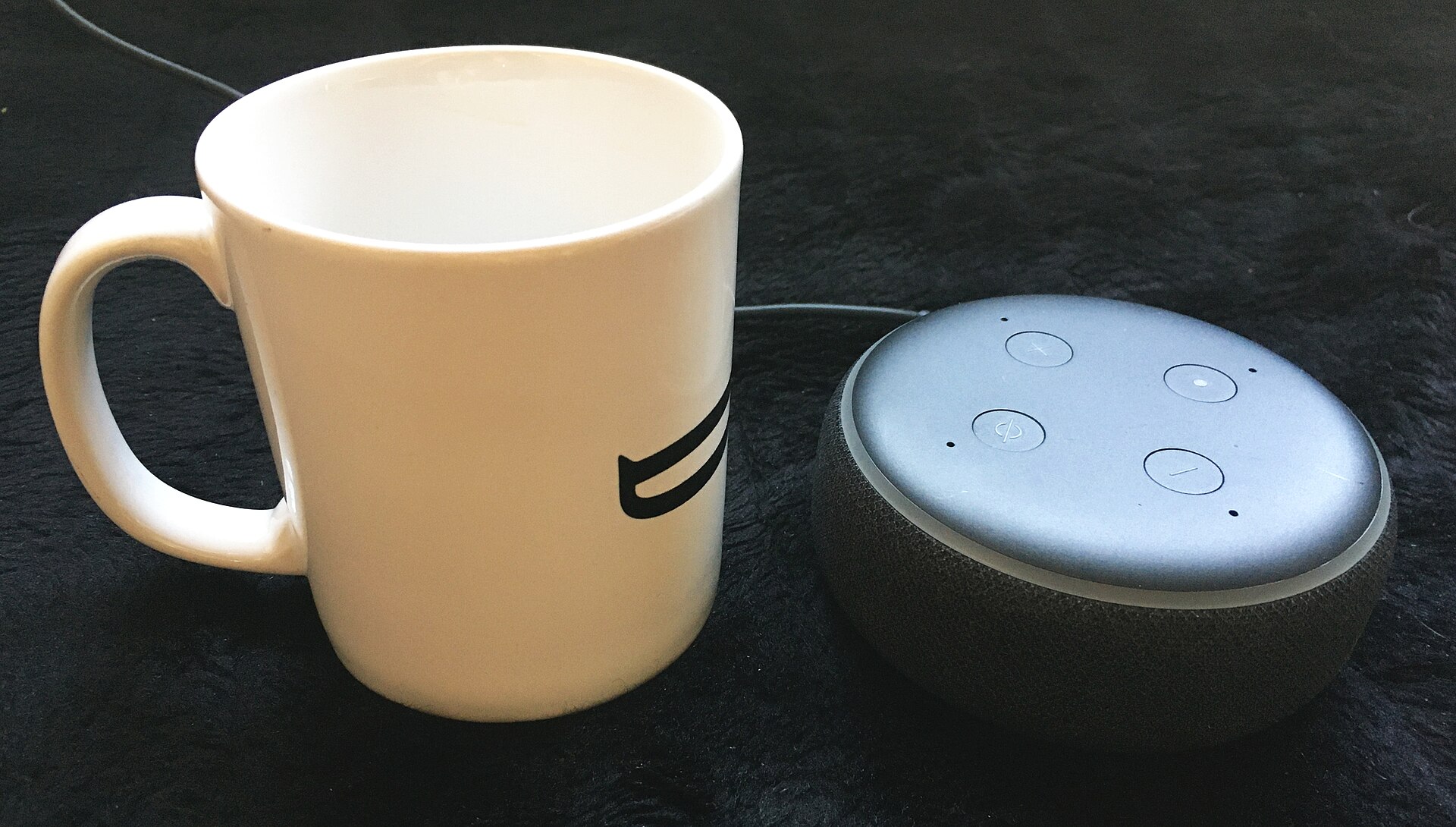
Amazon announced five new Alexa devices on October 28, 2026, and the one that matters most for a smart home is the new Echo Dot at $99.99. Not because it is a great speaker — it is fine, with 50 percent more bass than the previous model — but because it is now a real smart home hub. It has a built-in Zigbee hub, Matter support, and a Thread border router, which means it can connect directly to compatible smart devices without a separate bridge. It also has a built-in eero Wi-Fi extender, an AZ3 processor, and a fourth microphone for better voice recognition.
That hub point is the key. In the past, the cheapest Echo could control Matter devices but could not connect them to your network on its own — you needed another hub. The 2026 Dot removes that step. Buy the Dot, plug it in, and it is your hub. For most homes, one Dot in a central spot is enough to run the whole setup.
The rest of the lineup is more niche. The Echo Studio with Home Camera is $249.99, combining Dolby Atmos audio with a camera and visual intelligence. The Echo Time is a $199.99 bedside clock with sleep sensing and a sunrise wake-up light, and no camera — which matters in a bedroom. The Alexa Photo Frame is $199.99, a new category for Amazon. And the Echo Show 16 is a $499.99 wall display with a 16-inch screen, Fire TV built in, and a 13-megapixel camera, available for preorder with shipping expected later in 2026. They are nice products, but for a smart home setup, the Dot is the one to buy first.
Matter: the standard that finally ended the lock-in
Matter is the reason 2026 is the year to build, or rebuild, a smart home. It is a standard built by a coalition that includes Amazon, Google, Apple, and Samsung, and it means a Matter-certified light, lock, plug, or sensor can work with Alexa, Google Home, and Apple Home at the same time, using the same underlying connection.
Before Matter, buying a smart device meant checking which ecosystem it worked with, and many devices only worked well with one. Now, if you buy a Matter-certified device, it connects directly to Alexa without needing a brand-specific skill at all, and you can mix brands freely — Philips Hue lights, a TP-Link plug, a no-name Matter lock — and control them all from the Alexa app.
Matter 1.6 shipped in June 2026, adding features like NFC-based setup and better multi-controller support. The practical advice is simple: for anything you buy new in 2026, check the box for a Matter logo before you check for the Alexa logo. Matter is the future-proofing. Some older or budget devices still rely on brand skills instead of Matter, and that is fine — they still work — but Matter is what you want for anything new.
My setup: what I actually have, and how it is organized
Here is my real setup, so you can copy the structure. One Echo Dot (2026) in the living room as the hub. Smart bulbs in the main rooms, a smart plug on the coffee machine and the fan, a smart lock on the front door, a video doorbell, and a thermostat. Everything is Matter-certified where I had the choice, and everything is organized into Rooms in the Alexa app — Living Room, Bedroom, Kitchen, Hallway — with Groups for the things I control together.
The routines are where the magic is, and mine are deliberately simple. "Good night" locks the door, turns off all the lights, sets the thermostat to sleep temperature, and arms the doorbell's motion alerts. "Movie time" dims the living room lights and turns on the TV. "I'm home" turns on the hallway and kitchen lights when I arrive. Simple routines that do one thing well beat clever routines that try to do everything and break twice a week.
Two practical tips. First, name your devices properly. "Living room lamp" is a good name. "Light 3" is a name you will forget, and Alexa will misunderstand. Second, put a physical switch or a routine backup in place for anything important. A smart home that cannot turn the lights on when the internet is down is not a smart home — it is a liability.
What to avoid
The mistakes I made, so you do not have to. Do not buy a dozen devices at once. Start with one room, get it working properly, and then expand. A house full of half-configured gadgets is worse than a house with none.
Do not buy cheap no-name devices for anything safety-related — locks, smoke alarms, cameras. The savings are not worth the risk, and the support does not exist when something goes wrong. And do not build your whole home around a single ecosystem's app. Use Matter devices where you can, so that if you ever switch from Alexa to something else, your devices come with you.
Finally, think about privacy before you put a microphone and a camera in every room. Alexa+ is more capable, which means it processes more of what you say. Review your voice history occasionally, delete recordings you do not need, and think twice about a camera in a bedroom. The Echo Time exists precisely because some people want the smart alarm clock without the camera — and that tells you something about what buyers actually want.
Conclusion
Alexa in 2026 is the best it has ever been, and it is not close. Alexa+ is free with Prime and actually conversational. The new Echo Dot is a real hub for $99.99. Matter means your devices work together regardless of brand. If you tried Alexa before and gave up, this is the year to try again — and if you are starting from scratch, this is the best time there has ever been to start.
My advice is the same as it has always been, just easier to follow now: start with one Dot and one room, buy Matter-certified devices, organize them into Rooms, build a few simple routines, and expand slowly. The smart home that works is not the one with the most gadgets. It is the one where the lights turn on when you ask, the door locks when you leave, and you never have to think about any of it. In 2026, Alexa can finally do that — and it only took a decade.
FAQ
What is Alexa+ and how much does it cost?
Alexa+ is Amazon's AI-powered version of Alexa — more conversational, able to handle multi-step tasks, and better at understanding context. It is included with Prime for US members at no extra cost, or $19.99 a month for non-Prime users, with a limited free chat tier.
Which Echo should I buy for a smart home in 2026?
The new Echo Dot at $99.99. It has a built-in Zigbee, Matter, and Thread hub, an eero Wi-Fi extender, and better voice recognition — it is the cheapest way to get a proper hub and a speaker in one device.
What is Matter and why does it matter?
Matter is a cross-brand smart home standard from Amazon, Google, Apple, Samsung, and others. A Matter-certified device works with Alexa, Google Home, and Apple Home at the same time, so you can mix brands freely and your devices are not locked to one ecosystem.
Do I need a separate hub for Alexa smart home devices?
Not anymore, in most cases. The 2026 Echo Dot has a built-in hub supporting Zigbee, Matter, and Thread. Older Echo models may still need a separate hub for some devices, so check before you buy.
Is Alexa+ worth $19.99 a month without Prime?
For most people, no. It is a genuine upgrade, but the value is much better as part of Prime, where it is included. If you do not have Prime, the standard Alexa experience is still good, and you can try the limited free Alexa+ chat tier first.
How do I start a smart home with Alexa?
Start with one Echo Dot and one room. Add Matter-certified lights or plugs, organize them into Rooms in the Alexa app, and set up one or two simple routines. Expand slowly — one room at a time — and name your devices clearly so voice commands work reliably.