

A year ago I did the math on our team's AI bill and felt slightly sick. We were routing every autocomplete, every code review summary, every background lookup through a cloud API — and the meter never stopped. That's when I started taking local inference seriously, not as a hobby but as infrastructure.
Here's the good news: 2026 is the year local inference stopped being a compromise. Open-weight models got dramatically better (Llama 3.3, the DeepSeek family, Qwen's relentless releases), 4-bit quantization got effectively free in quality terms, and the hardware market finally offers real choices at every budget — from a single RTX 5090 to a 128GB unified-memory desktop that runs models no consumer GPU can touch. I run a local stack daily now. This is the full guide: the hardware, the software, the models, and the honest trade-offs.
Why local: the case in one paragraph
Three reasons, in order of how much they actually matter. Cost: cloud tokens are a metered utility; a local GPU is a fixed asset. If your usage is bursty or background-heavy (agentic coding loops, continuous repo indexing), local wins fast. Privacy: your proprietary codebase never leaves your building. Latency and control: no rate limits, no queueing, no API deprecations breaking your pipeline on a Tuesday. The model you download today still works in five years.
The hardware landscape: four real options
Forget spec-sheet dreaming. There are four setups people actually buy in 2026, and they optimize for different things.
Option 1: RTX 5090 — the speed king (32GB GDDR7, ~$2,000 MSRP)
NVIDIA's Blackwell flagship is the fastest single card for local LLMs. 32GB of GDDR7 at 1,792 GB/s of memory bandwidth — and bandwidth is what determines token generation speed. Real numbers: ~145 tok/s on an 8B model at Q4, ~45 tok/s on 32B, ~23 tok/s on a 70B. A Qwen3.6-27B at Q4 does 60–90 tok/s, and one independent benchmark measured Qwen3.8-27B at 65.7 tok/s with 117ms time-to-first-token — faster than you can read.
The 32GB capacity is the real story: for the first time, a single consumer card holds a 70B model entirely in VRAM — Llama 3.3 70B squeezes in at Q2_K (~26GB). Honest take: at Q2 the quality compromise is real, and for daily work a 27–32B model at Q4 serves you better. But the headroom also means generous context windows and room for an embedding model alongside. Street prices in 2026 sit above the $1,999 MSRP thanks to the memory shortage — and budget a case with real airflow.
Best for: interactive daily driving, agentic coding loops, anyone who values tokens-per-second above all.
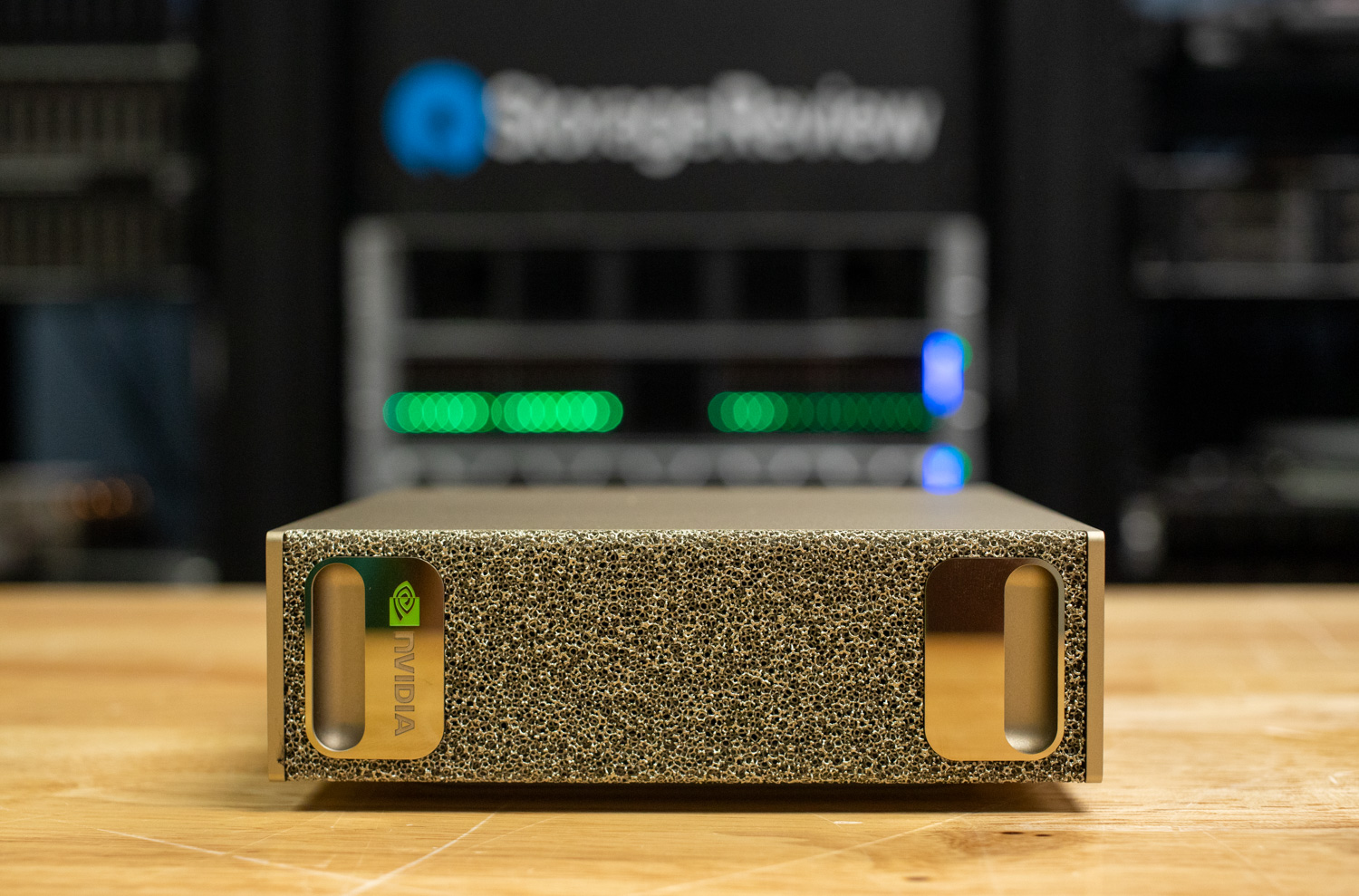
Option 2: NVIDIA DGX Spark — the capacity play (128GB unified, $4,699)
The DGX Spark (GB10 Grace Blackwell superchip: 20-core Arm CPU + Blackwell GPU sharing 128GB of LPDDR5x unified memory) is a different animal. It doesn't win on speed — its 273 GB/s of bandwidth is roughly one-sixth of the 5090's, and that shows: a loaded Llama 3.1 70B does single-digit tokens per second. What it wins on is capacity: 128GB holds models up to ~200B parameters in FP4, and two units linked over ConnectX can serve a 405B-class model.
It runs NVIDIA's DGX OS (Ubuntu-based), so PyTorch, vLLM, and TensorRT-LLM work unmodified. It sips power (40–60W at the wall in real reviews) and it's silent. At $4,699 after the February 2026 price hike it's not cheap, and NVIDIA just announced a 64GB version coming October 23, 2026 for ~100B-parameter models. My take: buy the Spark if your models don't fit on a 5090 and you need CUDA. If they fit, the 5090 is 3–10x faster for less money.
Best for: running 70B–200B models locally, CUDA-native prototyping, quiet shared lab machines.
Option 3: Mac Studio M3 Ultra — the bandwidth monster (up to 512GB unified, from ~$4,000)
Apple's play is memory bandwidth: the M3 Ultra pushes 819 GB/s across its unified memory, and the 512GB configuration (yes, half a terabyte, ~$9,499) is the only single machine that casually runs a 671B-parameter model. The headline moment was DeepSeek-V3-0324 — a 641GB download — running at over 20 tokens per second on a 512GB M3 Ultra via mlx-lm. A full DeepSeek-R1 does 17–18 tok/s. Smaller models fly: Gemma 4 26B-A4B measured at ~105 tok/s generation, and a Qwen 32B at Q4 does ~31 tok/s even at 1K context.
The software story is MLX (Apple's array framework) plus llama.cpp, and the community has done heroic work — there are entire GitHub repos dedicated to cataloguing what runs on the M3 Ultra and how fast. Power draw is 160–180W under load, roughly a tenth of an equivalent multi-GPU PC. The catch: you're in Apple's world (great if you already live there), and per-token speed on mid-size models trails the 5090 because bandwidth, while huge, is shared with the CPU and GPU.
Best for: the biggest models on a single desk, Mac-native developers, power efficiency.
Option 4: AMD Strix Halo — the value disruptor (128GB unified, $2,600–$3,600)
AMD's Ryzen AI Max+ 395 boxes are the price-performance story of 2026: 128GB of unified memory (96GB assignable to the GPU) at $2,600–$3,600 — a $700+ discount versus the DGX Spark for similar capacity. Measured memory bandwidth is ~215 GB/s (256 theoretical). In head-to-head testing it trades blows with the Spark on throughput while sometimes leading on token-generation latency. The stack is llama.cpp over Vulkan/ROCm rather than CUDA, which matters if your workflow is CUDA-specific, but for pure inference it's proven.
Best for: maximum model capacity per dollar, non-CUDA workflows.
The software stack: Ollama, vLLM, llama.cpp (and WebGPU)
Hardware is only half the decision. The runtime you pick shapes your daily experience more than the GPU does.
Ollama — the on-ramp
If you're new to local inference, start here. ollama pull qwen2.5-coder:32b && ollama run qwen2.5-coder:32b and you're chatting with a frontier-class coding model in under five minutes. Ollama handles model downloads, quantization selection, GPU layer offloading, and serves an OpenAI-compatible API, so every tool that talks to OpenAI (Continue, Open WebUI, LangChain, your own scripts) works unchanged. It wraps llama.cpp under the hood. The trade-off is throughput: it's optimized for simplicity and single-user interactivity, not for serving many users at once.
vLLM — the serving engine
When you need to serve a model to a team — or to your own agentic loops hammering it with parallel requests — vLLM is the answer. Its PagedAttention memory management and continuous batching multiply throughput enormously under concurrency: one benchmark showed a 5090 hitting 575 tok/s on Qwen3.6-27B at batch 8 with AWQ quantization. That's the difference between "my personal chatbot" and "infrastructure." vLLM is also the natural choice on the DGX Spark, where the CUDA stack runs unmodified. The cost is complexity: it's a real server with real configuration, not a one-liner.
llama.cpp — the universal substrate
llama.cpp is the C++ engine underneath half the ecosystem: GGUF quantization formats, Metal/CUDA/Vulkan backends, CPU offloading for models bigger than your VRAM, speculative decoding, and now multi-token prediction. When benchmarks quote "llama.cpp numbers," this is the baseline everything else is measured against. Newer specialized engines (there's a notable open-source one purpose-built for the 5090 that beats llama.cpp by 15–140% depending on the model) are worth watching, but llama.cpp is the compatibility king — if a model exists as GGUF, it runs.
WebGPU — inference in the browser tab
Don't overlook the browser as a runtime. WebLLM compiles models to WebGPU shaders and hits 60–90 tok/s for 4B models in a Chrome tab; Transformers.js runs Whisper, embeddings, and vision models via ONNX with WebGPU acceleration. For lightweight per-user tasks (transcription, semantic search, document QA), the browser is a zero-install inference runtime you already ship. I cover this in depth in my client-side AI architectures article — the short version is that "local" doesn't have to mean "on a workstation."
Quantization: the math that makes it all fit
A 70B model in full FP16 needs ~140GB of memory. Nobody has that on a desk. Quantization — storing weights at 4-bit (or lower) precision in formats like GGUF Q4_K_M or AWQ — cuts that to ~40GB with quality loss that's genuinely hard to notice: perplexity typically degrades by only a couple of percent at Q4. That's the entire trick behind local inference. A few practical notes:
- Q4_K_M is the default sweet spot. Below Q4 (Q3, Q2), quality falls off a cliff on most models — fine for experiments, not for work you depend on.
- MoE models cheat the math. Mixture-of-Experts models like DeepSeek-V3 (671B total, ~37B active per token) or Qwen3.6-35B-A3B (35B total, 3B active) only stream the active experts per token, so they decode far faster than their parameter count suggests — a 35B MoE at Q6_K does ~80 tok/s on a 5090.
- KV cache eats VRAM too. Long contexts aren't free: the key-value cache grows with context length. A q8_0 KV cache roughly halves the cost versus fp16. Budget ~1–2GB for a 64K context on a 30B-class model.
- AWQ vs GGUF: AWQ can be faster on NVIDIA GPUs (the vLLM favorite), but GGUF runs everywhere. For a 5090, try both; for anything else, GGUF.
Which models to actually run
The model landscape moves monthly, but as of October 2026 the practical picks are:
- Daily coding driver (24–32GB VRAM): Qwen2.5-Coder 32B or Qwen3.6-27B at Q4 — excellent code generation at 45–90 tok/s on a 5090.
- Best speed-to-quality: Qwen3.6-35B-A3B (MoE) at Q6_K — ~80 tok/s, 35B-class quality, fits a 5090 with room to spare. My default 5090 recommendation.
- Reasoning on a budget: DeepSeek-R1 distills (32B) — chain-of-thought reasoning at 45 tok/s.
- The 70B flex: Llama 3.3 70B — squeezes onto a 5090 at Q2_K, or runs properly on a Spark / Mac Studio / Strix Halo at Q4.
- Frontier-local: DeepSeek-V3 (671B MoE, MIT) — 20+ tok/s on a 512GB Mac Studio. As close to frontier as local gets.
- Tool-calling agents: gpt-oss 20B at Q8 — cleaner structured tool calls over long unattended runs.
- Multimodal: Gemma 4 31B at Q6_K (~25GB) — dense, multimodal, fits a 32GB consumer card.
Conclusion
Local inference in 2026 isn't the compromise choice anymore — for a huge range of development work, it's the better choice. The models are good enough (a 27–35B open model handles the vast majority of coding and writing tasks), the quantization math is settled (Q4_K_M, don't overthink it), and the hardware finally spans every budget: a 5090 for speed, a DGX Spark or Strix Halo for capacity, a Mac Studio for the outer limits.
The economics are what will convert the holdouts. Every agentic loop, every background index, every "let me just ask the model" moment is a meter running on someone else's GPU — or a sunk cost on your own. Once your usage passes a few hundred dollars a month in API bills, the workstation pays for itself, and everything after that is free tokens with zero latency, zero rate limits, and zero data leaving your building.
My honest recommendation: if you write code for a living and haven't tried local inference yet, you're leaving money and privacy on the table. Start small — one GPU, one model, one week. Pull a 32B coder, point your editor at localhost:11434, and use it. The cloud will still be there for the 5% of tasks that genuinely need frontier scale. But I suspect, like me, you'll find the 95% never goes back.
FAQ
How much VRAM do I need to run a 70B model locally?
At Q4_K_M quantization, a 70B model needs roughly 40–42GB plus context overhead — so a single 32GB RTX 5090 can't quite hold it at Q4 (though it squeezes in at Q2_K, ~26GB, with a quality trade-off). For comfortable 70B inference at Q4+, you want 48GB+ of VRAM or a unified-memory machine: DGX Spark (128GB), Strix Halo (128GB), or a high-memory Mac Studio.
Ollama vs vLLM vs llama.cpp — which should I use?
Ollama for simplicity (one command, OpenAI-compatible API, best for individuals). vLLM for serving (continuous batching and PagedAttention multiply throughput under concurrent load — best for teams and agent loops). llama.cpp as the universal backend (runs any GGUF model on any hardware). They layer: Ollama wraps llama.cpp; you can graduate from one to the next without changing models.
Can I run DeepSeek-V3 or R1 at home?
Yes — with the right hardware. DeepSeek-V3 (671B MoE, MIT license) runs at 20+ tokens/sec on a 512GB Mac Studio M3 Ultra via mlx-lm. The full R1 does 17–18 tok/s on the same machine. On a 32GB RTX 5090, run the R1 distills (32B and under) instead — you get the reasoning style at 45+ tok/s.
Does quantization hurt quality?
At 4-bit (Q4_K_M), barely — perplexity typically degrades by only a couple of percent versus FP16, imperceptible for most tasks. Quality falls off noticeably at Q3 and steeply at Q2. AWQ is competitive with GGUF on NVIDIA hardware; GGUF wins on compatibility.


